

Introduction
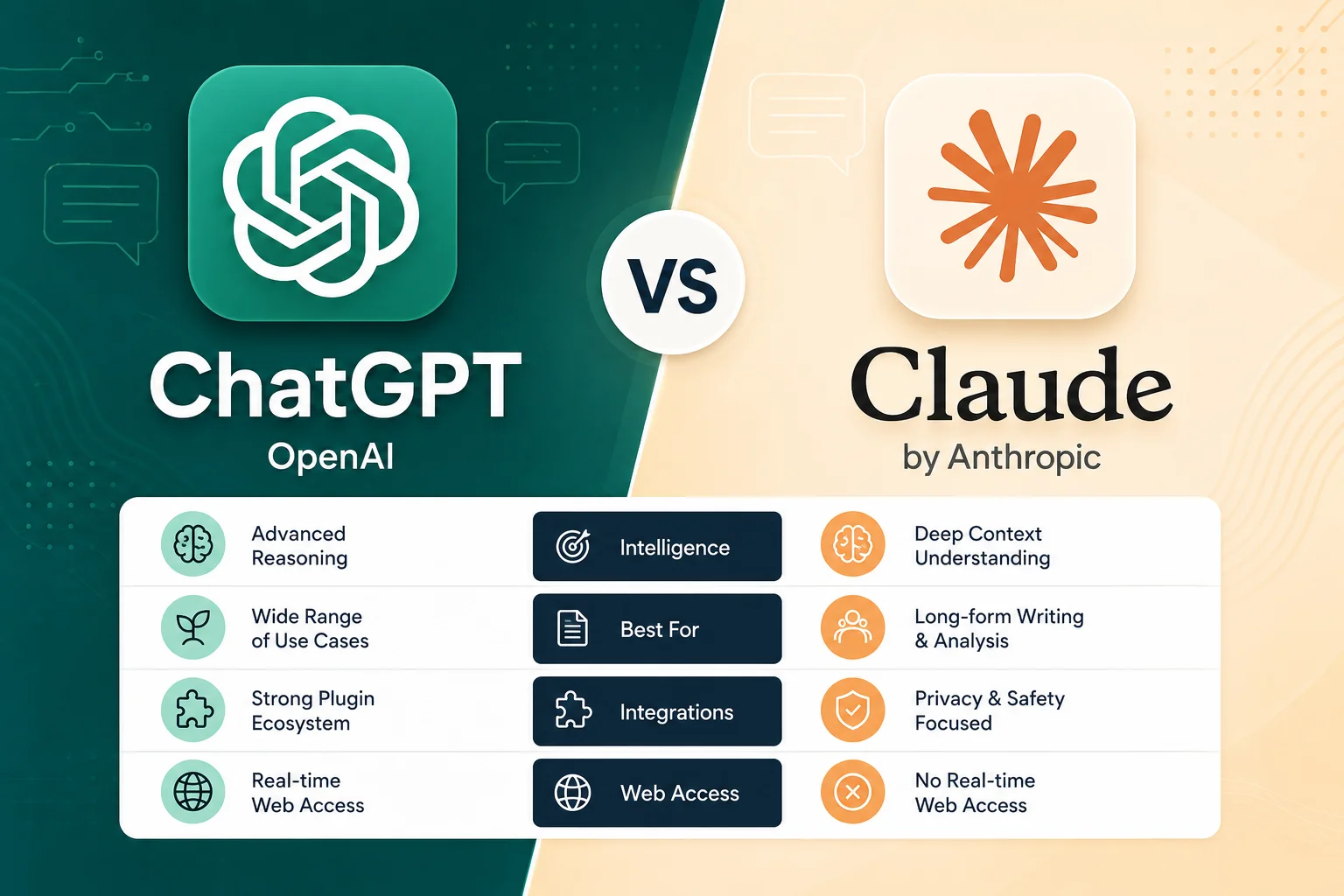
If you’ve typed “ChatGPT vs Claude” into a search bar recently, you’re in good company. Millions of professionals, students, developers, and business owners are asking the same question: which AI assistant actually deserves a spot in my daily workflow? OpenAI’s ChatGPT and Anthropic’s Claude have emerged as the two most talked-about large language model products on the market, and both have evolved dramatically since their early releases. What used to be a simple “which chatbot writes better emails” debate has turned into a genuinely difficult decision involving pricing tiers, context windows, enterprise compliance, coding performance, and integration ecosystems.
The stakes are higher than ever. When you compare ChatGPT vs Claude side by side, ChatGPT has leaned into becoming an all-purpose “everything app” — search, voice, image generation, agents, and a sprawling integration marketplace — while Claude has carved out a reputation as the thinking person’s AI, prized by developers, writers, and enterprises for its careful reasoning, longer effective context handling, and safety-first design philosophy. Neither is objectively “better” in a vacuum; the right choice depends heavily on what you’re building, how much you’re willing to pay, and whether you value breadth or depth.
Ultimately, the ChatGPT vs Claude decision comes down to your specific needs. In this guide, we’ll break down everything that matters: features, pricing (with exact current numbers), ease of use, integrations, underlying AI models, security and compliance credentials, customer support, and — most importantly — which tool is the right fit for your specific situation. Whether you’re a solo freelancer trying to decide between a $20 subscription, an IT director evaluating enterprise contracts, or a developer choosing an API provider, this comparison will give you the clarity you need to make a confident decision.
Table of Contents
Features Comparison
Both platforms have converged on a similar core feature set — chat, file uploads, web search, code execution, image handling, and custom “projects” — but they diverge in execution and depth. Here’s how they stack up side by side.
| Feature | ChatGPT | Claude |
|---|---|---|
| Underlying models | GPT-5 family (GPT-5, GPT-5 Thinking, GPT-5 Pro, mini/nano variants) | Claude Opus 4.5, Sonnet 4.5, Haiku 4.5 |
| Web search | Built-in real-time search on all tiers | Built-in web search on all tiers |
| Voice mode | Advanced Voice Mode with video and screen-sharing | Voice mode (Pro and above) |
| Image generation | Native image generation and editing | No native image generation |
| Document/file analysis | Yes, with extended limits on paid tiers | Yes, with strong long-document handling |
| Code execution / data analysis | Advanced Data Analysis (Python sandbox) | Claude Code, artifacts, and code execution tool |
| Custom “GPTs” / agents | Custom GPTs, ChatGPT Agent, Tasks | Projects, Claude Cowork, custom connectors |
| Deep research mode | Yes (Plus and above) | Yes, “Research” mode (Pro and above) |
| Canvas / artifacts | Canvas for collaborative editing | Artifacts for live, shareable outputs |
| Memory across chats | Yes | Yes |
| Multimodal input | Text, image, audio, video, files | Text, image, audio (via voice), files |
| Context window (paid consumer tier) | Up to 128K tokens (Pro), 32K (Plus) | 200K tokens standard (Pro/Team), 1M beta (Sonnet 4.5) |
| Office suite integration | Limited (via connectors) | Native Microsoft 365 (Word, Excel, Outlook) integration |
The bottom line on features: ChatGPT is the more “complete” consumer product — it generates images natively, has a slicker voice mode with video, and offers a broader agent ecosystem through Custom GPTs and the ChatGPT Agent. Claude counters with a much larger practical context window, tighter Microsoft 365 integration, and tools like Claude Code and Claude Cowork that are purpose-built for technical and collaborative work. If your daily tasks involve generating visuals, ChatGPT wins outright since Claude has no native image generation. If your work involves digesting huge documents, long codebases, or research reports, Claude’s context window advantage is hard to ignore.
Pricing Comparison
Pricing is where the two products genuinely diverge in structure. ChatGPT uses a four-tier system (Free, Plus, Pro, Team/Business, Enterprise), while Claude has expanded into a more granular five-to-six-tier model (Free, Pro, Max, Team, Enterprise) with multiple usage multipliers.
ChatGPT Pricing
| Plan | Price | Best For | Key Inclusions |
|---|---|---|---|
| Free | $0/month | Casual users | Limited GPT-5 access, web search, limited file uploads, voice, and image tools |
| Plus | $20/month | Individuals | Extended limits, voice mode with video/screensharing, deep research, multiple reasoning models, Tasks, custom GPTs |
| Pro | $200/month | Power users, researchers | Everything in Plus, near-unlimited usage, GPT-5 Pro access, expanded context window (128K) |
| Business | $25/user/month (billed annually) | Small-to-mid businesses | Unlimited GPT-5 messages, connectors to internal knowledge, SAML SSO, MFA, SOC 2 Type 2/ISO 27001 alignment |
| Enterprise | Custom (Contact Sales) | Large organizations | Expanded context window, SCIM, domain verification, custom data retention, no training on business data, 24/7 priority support, SLAs |
(Source: OpenAI ChatGPT Pricing)
Claude Pricing
| Plan | Price | Best For | Key Inclusions |
|---|---|---|---|
| Free | $0 | Casual/first-time users | Web chat, web search, memory, basic code execution, connectors (Slack, Google Workspace) |
| Pro | $17–$20/month (annual/monthly) | Individuals, professionals | Everything in Free, more usage, Claude Code, Claude Cowork, Claude Design, Claude Science, unlimited projects, Research mode, Microsoft 365 integration |
| Max | From $100/month (5x usage) up to $200/month (20x usage) | Heavy individual users | Everything in Pro, 5x–20x usage limits, higher output caps, priority access at peak times |
| Team | Standard seat: $20/user/month; Premium seat: $100/user/month | Teams of 5–150 | All Claude features, Claude Code, Claude Cowork, Claude Design, SSO, central billing, enterprise search, no training on content by default |
| Enterprise | Custom (seat price + API-rate usage) | Large organizations | All Team features, SCIM, audit logs, compliance API, custom data retention, IP allowlisting, HIPAA-ready offering |
(Source: Claude Pricing)
Pricing takeaway: At the entry level, Claude Pro is slightly cheaper than ChatGPT Plus if billed annually ($17/month vs. $20/month), though both charge $20/month month-to-month. At the top end, ChatGPT Pro ($200/month) is a flat-rate all-you-can-use plan, while Claude Max offers tiered scaling ($100 or $200/month) depending on how much usage you need — giving budget-conscious power users more flexibility. For teams, Claude’s dual seat structure (Standard vs. Premium) lets organizations mix and match based on actual usage needs, whereas ChatGPT Business is a flat $25/user/month. Both companies keep Enterprise pricing custom and quote-based.
Pros & Cons
ChatGPT
Pros:
- Native, high-quality image generation and editing built directly into chat
- Advanced Voice Mode with live video and screen-sharing — genuinely useful for tutoring, troubleshooting, and hands-free tasks
- Massive third-party ecosystem: Custom GPTs, plugins, and a mature Zapier/automation integration library
- ChatGPT Agent can autonomously browse the web and complete multi-step tasks
- Broad brand recognition and the largest active user base, meaning more community tutorials, templates, and support content
- Business tier is affordable and compliance-ready out of the box (SOC 2, ISO 27001, GDPR/CCPA alignment)
Cons:
- Context window on consumer tiers (32K–128K tokens) trails Claude’s 200K–1M token capacity
- Pro tier is expensive at $200/month for individuals
- Team pricing details are less transparent than Claude’s published seat pricing
- Occasionally more prone to overly confident, verbose, or “hallucinated” answers on niche technical topics
- Image generation and voice features can behave inconsistently under heavy load
Claude
Pros:
- Exceptionally large context window (200K standard, up to 1M tokens in beta on Sonnet 4.5) — ideal for long documents, codebases, and research
- Strong reputation for careful, nuanced, low-hallucination reasoning and writing quality
- Deep, native Microsoft 365 integration (Word, Excel, Outlook) not matched by ChatGPT
- Claude Code is widely regarded as one of the best AI coding agents available
- Enterprise plan includes HIPAA-ready offering, audit logs, and granular access controls
- Flexible Team seat structure (Standard vs. Premium) lets companies control costs per user
Cons:
- No native image generation — a significant gap for content and marketing teams
- Voice mode is less mature than ChatGPT’s, with no video/screen-share capability
- Smaller third-party integration and plugin ecosystem, notably lacking a native Microsoft Teams bot as of mid-2026
- Max plan pricing ($100–$200/month) can get expensive fast for heavy users
- Slightly smaller overall user community, meaning fewer third-party tutorials and templates
Ease of Use
Both platforms present a similar chat-first interface, but subtle design choices shape the overall experience. Overall, this ChatGPT vs Claude breakdown should help you weigh the trade-offs clearly.
ChatGPT has the edge in approachability for first-time users. The interface bundles voice, image generation, file upload, and web search into one visible toolbar, and the mobile apps are polished across iOS and Android with fast voice-to-voice conversation. Custom GPTs let non-technical users build a “mini app” (like a resume reviewer or recipe generator) without writing code, which lowers the barrier for casual experimentation. The trade-off is that ChatGPT’s sheer number of features and modes (Auto, Instant, Thinking, Pro) can feel overwhelming to users who just want a straightforward answer.
Claude takes a cleaner, more minimalist approach. The chat interface is less cluttered, and “Artifacts” — Claude’s live preview pane for code, documents, and designs — make it easy to see and iterate on generated content side-by-side with the conversation. Claude Projects (unlimited on Pro) are excellent for organizing ongoing work, such as a long-running research project or a recurring writing assignment, and the model’s tendency to ask clarifying questions before diving into complex tasks reduces wasted back-and-forth. Power users generally find Claude faster to get “into flow” with for writing and coding, while ChatGPT is faster to get started with for everyday, varied tasks.
Verdict: ChatGPT is easier for casual, multi-purpose use (a bit of everything). Claude is easier for focused, deep work sessions (writing, coding, and document analysis) thanks to Artifacts and Projects.
Integrations
| Category | ChatGPT | Claude |
|---|---|---|
| Productivity suites | Limited native support; connectors to Google Drive, SharePoint via Business/Enterprise | Native Microsoft 365 (Word, Excel, Outlook), Google Workspace |
| Team chat | Slack app, Microsoft Teams integration | Slack connector; no native Microsoft Teams bot as of mid-2026 |
| Automation platforms | Native Zapier actions, Make.com, native API/webhooks | Zapier support, Make.com, REST API, remote MCP (Model Context Protocol) |
| Developer tools | OpenAI API, Codex, function calling, Assistants API | Anthropic API, Claude Code, Model Context Protocol (MCP) for tool/data connections |
| Custom apps/agents | Custom GPTs, GPT Store, ChatGPT Agent | Claude Cowork, custom connectors, Projects |
| Cloud platforms | Available via Azure OpenAI Service | Available via Amazon Bedrock, Google Cloud Vertex AI, Microsoft Foundry |
| Browser/desktop | ChatGPT desktop app (macOS/Windows), browser extension | Claude desktop app, browser extensions, desktop extensions |
ChatGPT generally has the broader off-the-shelf integration library, particularly around automation tools like Zapier and consumer-facing platforms like Microsoft Teams and Slack. Claude compensates with the Model Context Protocol (MCP) — an open standard Anthropic pioneered that lets Claude connect directly to tools, databases, and enterprise systems (Slack, Google Drive, Notion, Jira, Confluence) in a more structured, secure way, and its native Microsoft 365 document integration is more deeply built-in than ChatGPT’s. For multi-cloud enterprises, Claude’s availability across Amazon Bedrock, Google Vertex AI, and Microsoft Foundry gives procurement teams more flexibility than ChatGPT’s Azure-centric enterprise distribution.
AI Features
Models
- ChatGPT runs on the GPT-5 family, including the base GPT-5 model, a “Thinking” mode for deeper reasoning, GPT-5 Pro for maximum capability, and smaller mini/nano variants for speed and cost efficiency. The system automatically routes between fast and reasoning modes depending on task complexity.
- Claude runs on the Claude 4.5 family: Opus 4.5 (maximum intelligence, best for complex analysis and agentic workflows), Sonnet 4.5 (the balanced workhorse, best price-to-performance for coding and general tasks), and Haiku 4.5 (fastest and most cost-effective, used widely on the Free tier).
Context Window
This is one of the most consequential technical differences between the two platforms:
| Tier | ChatGPT Context Window | Claude Context Window |
|---|---|---|
| Free | ~8K–16K tokens | 200K tokens |
| Plus/Pro (consumer) | 32K (Plus) / 128K (Pro) | 200K tokens (1M beta on Sonnet 4.5) |
| API (developers) | Up to 400K tokens (272K input + 128K output) | Up to 1M tokens (Opus/Sonnet 4.5, via API/Bedrock/Vertex/Foundry) |
Claude’s standard 200K-token window (roughly 150,000 words, or about 500 book pages) is available even on paid consumer tiers, while ChatGPT reserves its largest windows for Pro subscribers and API developers. For anyone regularly uploading long contracts, research papers, or multi-file codebases, Claude’s baseline context advantage is significant.
Multimodal Capabilities
Both models accept text, images, and file uploads, and both offer voice interaction. ChatGPT pulls ahead with native image generation and editing — a capability Claude simply doesn’t offer — as well as a more cinematic Advanced Voice Mode that supports live video and screen-sharing. Claude instead channels its multimodal strength into document and code understanding, with tools like Artifacts rendering live previews of generated websites, diagrams, and interactive components.
Agentic and Coding Capabilities
Both companies have invested heavily in “agentic” AI that can take multi-step actions. ChatGPT Agent can browse the web, fill out forms, and complete workflows autonomously. Claude Code has become one of the most respected AI coding agents in the developer community, excelling at large-scale refactors, multi-file reasoning, and terminal-based workflows, and Claude Cowork extends this agentic approach to broader business collaboration tasks.
Security & Compliance
Enterprise buyers increasingly treat security certifications as a checkbox requirement, and both companies have built out substantial compliance programs. This part of our ChatGPT vs Claude analysis matters for day-to-day usage.
| Certification / Control | ChatGPT (OpenAI) | Claude (Anthropic) |
|---|---|---|
| SOC 2 Type 2 | Yes (Business/Enterprise) | Yes |
| ISO 27001 / 27017 / 27018 / 27701 | Yes (Business/Enterprise) | Yes (per Anthropic’s published certifications) |
| GDPR compliance | Yes, with DPA available | Yes, with DPA; zero-retention mode available on Enterprise |
| HIPAA support | Available via BAA for eligible API/Enterprise customers | “HIPAA-ready” offering available on Enterprise |
| CSA STAR alignment | Yes (Business tier) | Not explicitly published |
| SSO / SAML | Business and Enterprise tiers | Team and Enterprise tiers |
| SCIM provisioning | Enterprise | Enterprise |
| Data retention controls | Custom retention policies (Enterprise); no training on business data by default | Custom retention controls; zero-retention mode (Enterprise); no training on content by default (Team/Enterprise) |
| Audit logs | Available on Enterprise | Available on Enterprise, plus a dedicated Compliance API |
| IP allowlisting / network controls | Available on Enterprise | Available on Enterprise |
| Role-based access control | Yes (Enterprise) | Yes, fine-grained (Enterprise) |
Both providers meet the baseline expectations for enterprise deployment — SOC 2, ISO 27001, GDPR support, and no-training-on-your-data guarantees for paid business tiers. Claude’s Enterprise tier stands out for its zero-retention processing mode and dedicated Compliance API for observability, which appeal to regulated industries like healthcare, finance, and legal. ChatGPT’s Business tier is notably more accessible for smaller companies needing compliance features, since SOC 2/ISO alignment and SSO are available starting at $25/user/month rather than requiring a full custom Enterprise contract. Organizations in healthcare or legal services handling protected data should still execute a formal Business Associate Agreement (BAA) or Data Processing Agreement (DPA) with either vendor before processing regulated information (Anthropic Privacy Center; Claude Enterprise data handling).
Customer Support
| Support Aspect | ChatGPT | Claude |
|---|---|---|
| Free tier support | Help Center, community forum | Help Center, community resources |
| Paid tier support | Email support, in-app help | Email support, in-app help |
| Business/Team support | Priority email support | Priority support for Team plans |
| Enterprise support | 24/7 priority support with SLAs, dedicated account teams, AI advisors for eligible customers | Dedicated enterprise support, custom SLAs available on Enterprise contracts |
| Live chat | Limited availability | Limited availability |
| Response time (paid tiers) | Typically within 24–48 hours for standard tickets; faster for Enterprise SLA customers | Typically within 24–48 hours for standard tickets; faster for Enterprise SLA customers |
Neither company is known for lightning-fast support on entry-level plans — both rely primarily on help centers, documentation, and email ticketing for Free and Plus/Pro users, with community forums filling in the gaps. Where they differentiate is at the top of the market: ChatGPT Enterprise explicitly advertises 24/7 priority support with SLAs and access to AI advisors for eligible customers, while Claude Enterprise offers custom support arrangements typically negotiated as part of the contract. For most individual subscribers, expect email-based support with response times in the one-to-two-day range; for enterprise contracts, both vendors offer dedicated account management and faster guaranteed response windows.
Best For
Choose ChatGPT if you are:
- A content creator or marketer who needs native image generation alongside text
- A small business owner who wants an affordable, compliance-ready Business plan
- Someone who wants a true multi-modal assistant with best-in-class voice and video interaction
- A user who wants the widest ecosystem of Custom GPTs, plugins, and third-party automation
- A team already standardized on Microsoft/Azure infrastructure looking for a broadly compatible tool
Choose Claude if you are:
- A developer or engineering team that wants best-in-class coding assistance via Claude Code
- A researcher, analyst, or legal professional who regularly works with very long documents
- A writer who values nuanced, lower-hallucination prose and careful reasoning
- An enterprise in a regulated industry (healthcare, finance, legal) that needs zero-retention processing and a HIPAA-ready offering
- A team heavily invested in Microsoft 365 that wants native Word/Excel/Outlook integration
- A multi-cloud enterprise that wants model access across AWS Bedrock, Google Vertex AI, and Microsoft Foundry
Final Verdict
There is no universal winner in the ChatGPT vs. Claude debate — the right answer depends entirely on your use case. ChatGPT is the better all-around consumer product. Its native image generation, more mature voice mode, and sprawling integration ecosystem make it the more versatile daily-driver tool for individuals, marketers, and small businesses that want one app to handle writing, images, research, and automation.
Claude is the better tool for serious, focused work. Its larger context window, superior coding agent, tighter Microsoft 365 integration, and enterprise-grade compliance controls (including zero-retention processing) make it the stronger choice for developers, researchers, writers, and regulated enterprises that need depth and precision over breadth.
If you can only pick one and your work leans creative, visual, or general-purpose: go with ChatGPT. If your work leans technical, document-heavy, or compliance-sensitive: go with Claude. Many power users and even mid-sized companies are increasingly choosing to run both — using ChatGPT Plus or Business for day-to-day productivity and creative tasks, and Claude Pro or Team for coding, long-document review, and enterprise compliance workflows. At $20/month each, running both is a realistic option for professionals whose income depends on getting AI-assisted work right.
FAQs
1. Is ChatGPT or Claude better for coding?
Claude, particularly through Claude Code and the Opus/Sonnet 4.5 models, has a strong reputation among developers for handling large codebases, multi-file refactors, and agentic coding tasks with fewer errors. ChatGPT is also highly capable for coding, especially with GPT-5 Thinking mode, and benefits from a larger community of tutorials and Custom GPTs built for specific programming tasks. For teams doing heavy, sustained software development, Claude Code is generally considered the stronger specialized tool.
2. Which is cheaper, ChatGPT Plus or Claude Pro?
They’re nearly identical. Both cost $20/month billed monthly. Claude Pro drops to roughly $17/month when billed annually, making it marginally cheaper than ChatGPT Plus for users willing to commit annually. At the high end, ChatGPT Pro is a flat $200/month, while Claude Max starts at $100/month for 5x usage and scales to $200/month for 20x usage — giving Claude more pricing flexibility for varying usage needs (OpenAI Pricing; Claude Pricing).
3. Does Claude have image generation like ChatGPT?
No. As of 2026, Claude does not offer native image generation or editing. If generating visuals, illustrations, or edited photos is a core part of your workflow, ChatGPT is the only option between the two that supports this natively.
4. Which AI has a bigger context window?
Claude does, at the consumer tier level. Claude’s Pro and Team plans include a 200,000-token context window by default, with a 1-million-token beta mode available on Sonnet 4.5 via API. ChatGPT’s context window is tiered by plan — 32K tokens on Plus and 128K tokens on Pro — with the full 400K-token window reserved for API/developer access.
5. Is ChatGPT or Claude more secure for enterprise use?
Both meet major enterprise security standards, including SOC 2 Type 2, ISO 27001, and GDPR compliance, with no-training-on-your-data guarantees for business tiers. Claude Enterprise offers a distinct advantage with its zero-retention processing mode and a dedicated Compliance API, while ChatGPT Enterprise offers broad certifications (including CSA STAR alignment) and 24/7 priority support with SLAs. Organizations with strict regulatory requirements should review both companies’ Data Processing Agreements directly before deciding.
6. Can I use both ChatGPT and Claude together?
Yes, and many professionals do. Since both offer $20/month entry-level plans, it’s increasingly common to use ChatGPT for creative and multimodal tasks (image generation, voice interaction, quick research) while using Claude for deep technical work (coding, long-document analysis, and writing that requires careful reasoning). There’s no exclusivity requirement, and running both can be a cost-effective way to get the best of each platform.
7. Which is better for businesses: ChatGPT Business or Claude Team?
It depends on your team’s tooling and needs. ChatGPT Business costs $25/user/month (billed annually) and includes unlimited GPT-5 messages, SSO, and compliance alignment, making it a straightforward, flat-rate option. Claude Team offers two seat types — Standard ($20/user/month) and Premium ($100/user/month) — allowing companies to mix seat levels based on actual usage needs, plus deeper Microsoft 365 integration. Teams that want simple, predictable per-seat pricing may prefer ChatGPT Business; teams that want to optimize costs across light and heavy users may prefer Claude Team’s tiered seat structure.
Pricing and features referenced in this article reflect publicly available information from OpenAI’s official ChatGPT pricing page and Anthropic’s official Claude pricing page as of mid-2026. Both companies update pricing and features frequently — always confirm current details on their official sites before making a purchasing decision.

